AI Video Analysis: See Everything Frame by Frame
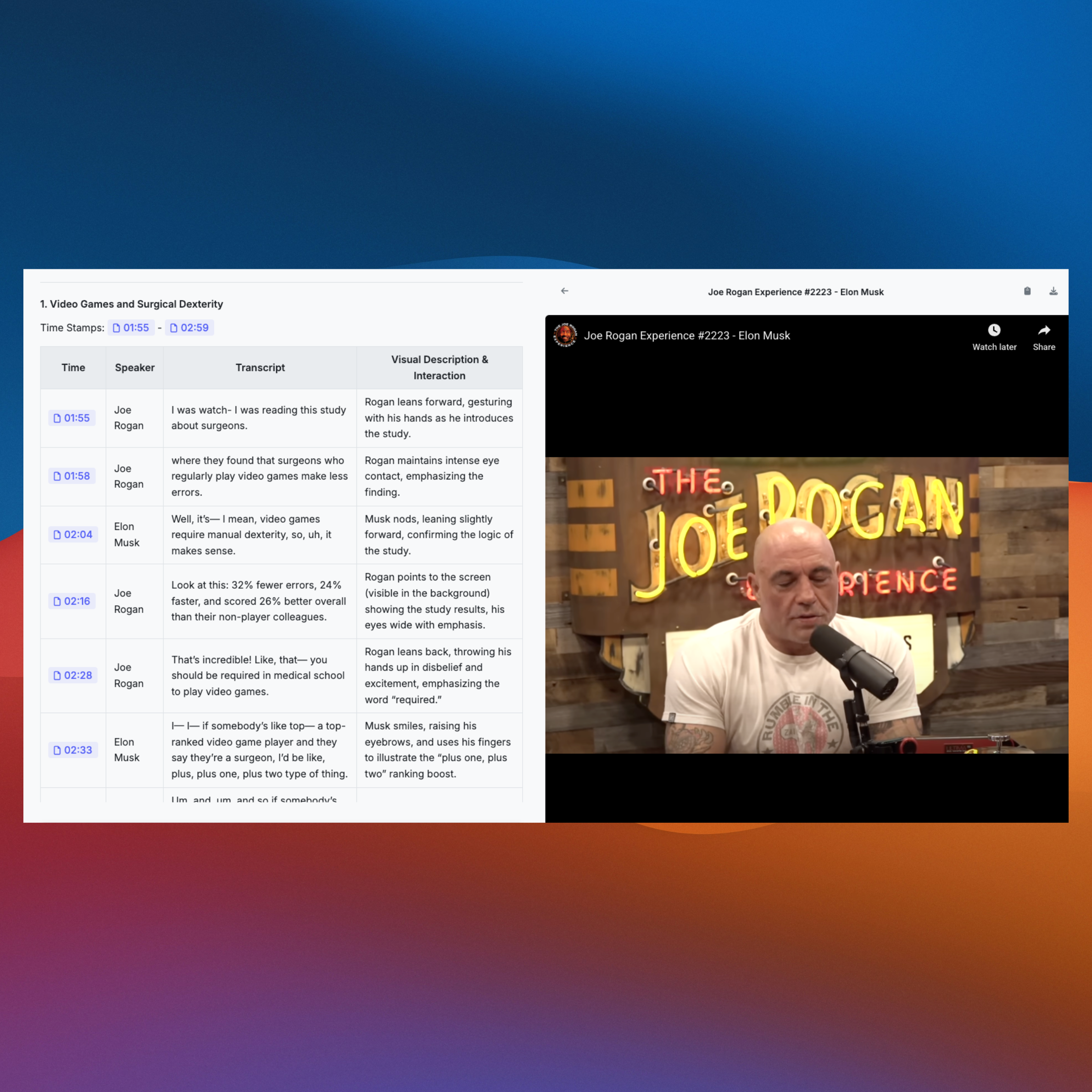
Our AI doesn't just listen; it watches. Analyze visual content, detect objects, read text, understand scenes, and extract insights from every frame. Upload any video (up to 4 hours) or paste a YouTube link, then ask questions about what you see, hear, or want to understand.
Used by over 300+ companies





See everything in your videos. Our AI watches every frame.
Our AI doesn't just listen; it watches. Analyze visual content, detect objects, read text, understand scenes, and extract insights from every frame. Upload any video (up to 4 hours) or paste a YouTube link, then ask questions about what you see, hear, or want to understand.
- Detect objects, people, and activities in every frame
- Read and extract text from slides, signs, and documents
- Understand relationships between visual and audio content
- Get precise timestamps for specific moments
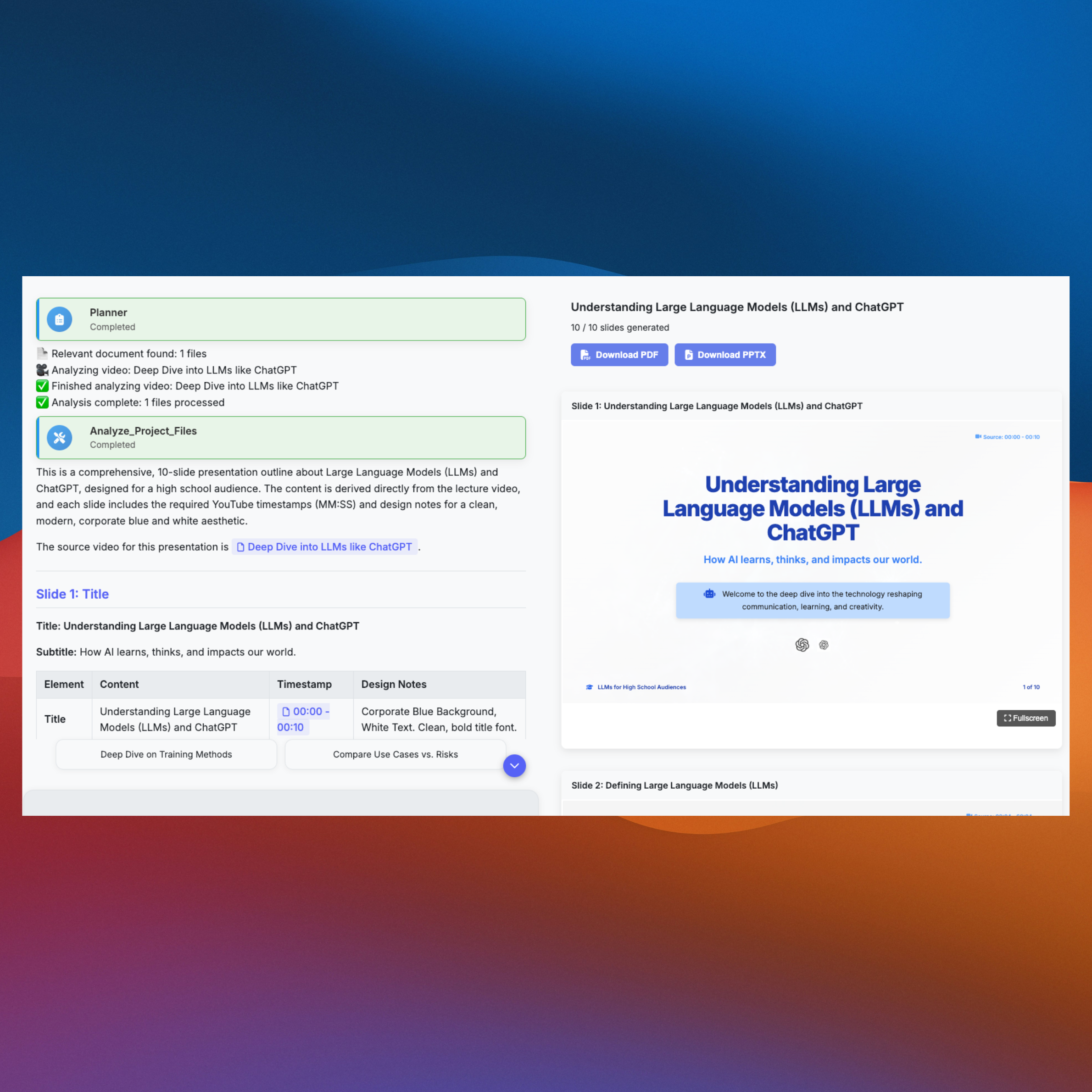
Convert video lectures into professional PowerPoint presentations.
Transform YouTube videos, lectures, and educational content into structured PowerPoint presentations. Our AI extracts key concepts, creates slides with timestamps, and organizes content into professional presentations ready for sharing or teaching.
- Convert video lectures to PowerPoint automatically
- Extract key concepts and organize into slides
- Add timestamps showing where content came from
- Create structured, professional presentations
Discover AI Video Analysis Use Cases


Better insights, better decisions
Pelayar helps you get the most out of your videos. It's a personal assistant for all your video analysis needs.
Students
Convert lecture videos into PowerPoint presentations automatically. Transform YouTube lectures and educational content into structured slides with timestamps and key concepts.
Content Creators
Extract engaging clips from long-form videos with timestamps, transcripts, and visual descriptions. Perfect for repurposing podcast interviews and video content into social media posts and blog content.
Business Professionals
Review training videos, extract policy changes, and create summaries for your team. Get instant insights from corporate videos and webinars.
Researchers
Analyze research presentations, extract data from video content, and understand complex visual information. Perfect for academic and professional research.
Experience the future of video analysis
Frequently Asked Questions
Everything you need to know about AI video analysis.